Quick answer — how to run Facebook page COD in Bangladesh
Many Bangladesh sellers run Cash-on-Delivery through Facebook/Instagram pages—with or without WooCommerce.
Losses cluster in the same places: leads lost in the inbox, fake numbers, customers who say “yes” then refuse delivery, and hours of manual courier panel copy-paste.
Working order: capture Messenger/comment lead → check mobile on BD Fraud Checker → apply green/yellow/red rules (Customer verification) → confirm → WooCommerce record → book only verified orders with Courier Auto Entry (Pathao/Steadfast/RedX).
Bangla hub: Facebook Page COD management. Full system: English WooCommerce guide.
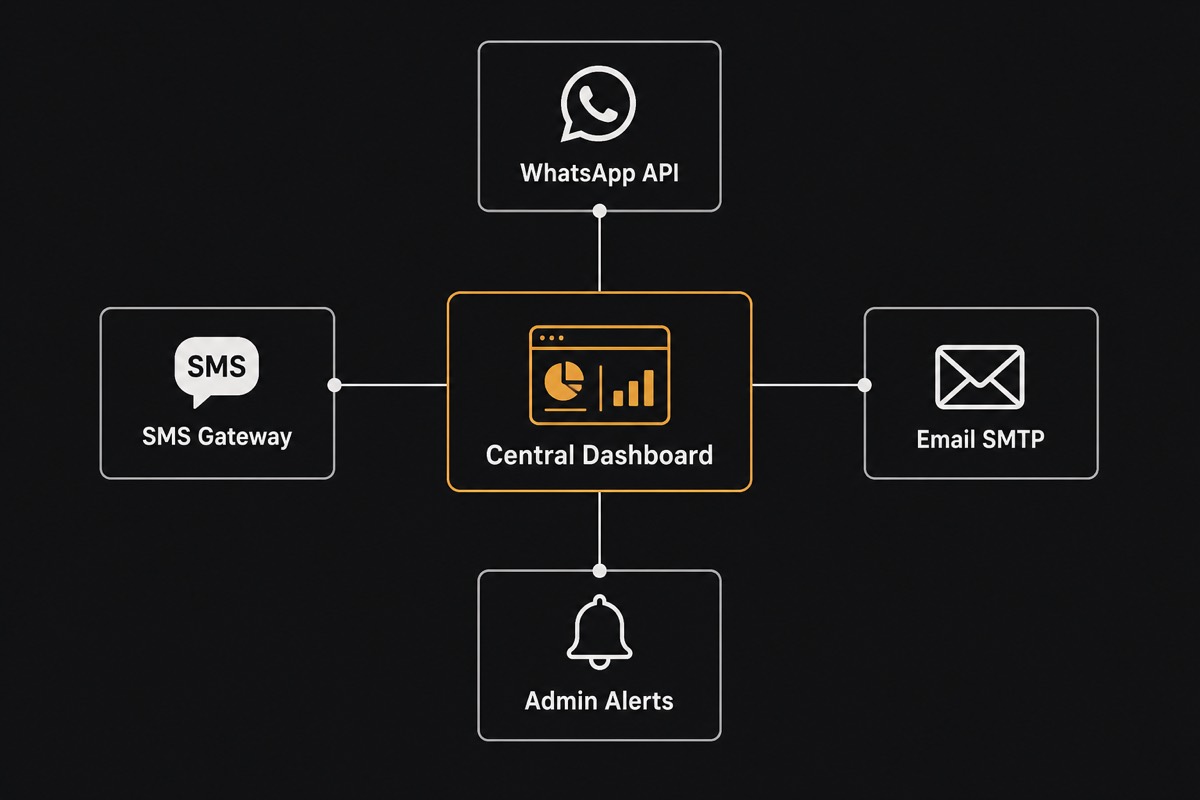
Why page COD feels different—but the risk is the same
Page orders often skip a checkout form, so sellers assume fraud tools are “for websites only.” In practice a large share of fake COD starts in Messenger or comments—prank numbers, competitor interference, or curious price-check leads who never receive the parcel.
Even with WooCommerce, page leads are a second channel: the same buyer can order twice, two staff can book twice, and return loss doubles.
Page and store should share fraud zones and blacklists—setup: Fake Order Protection.
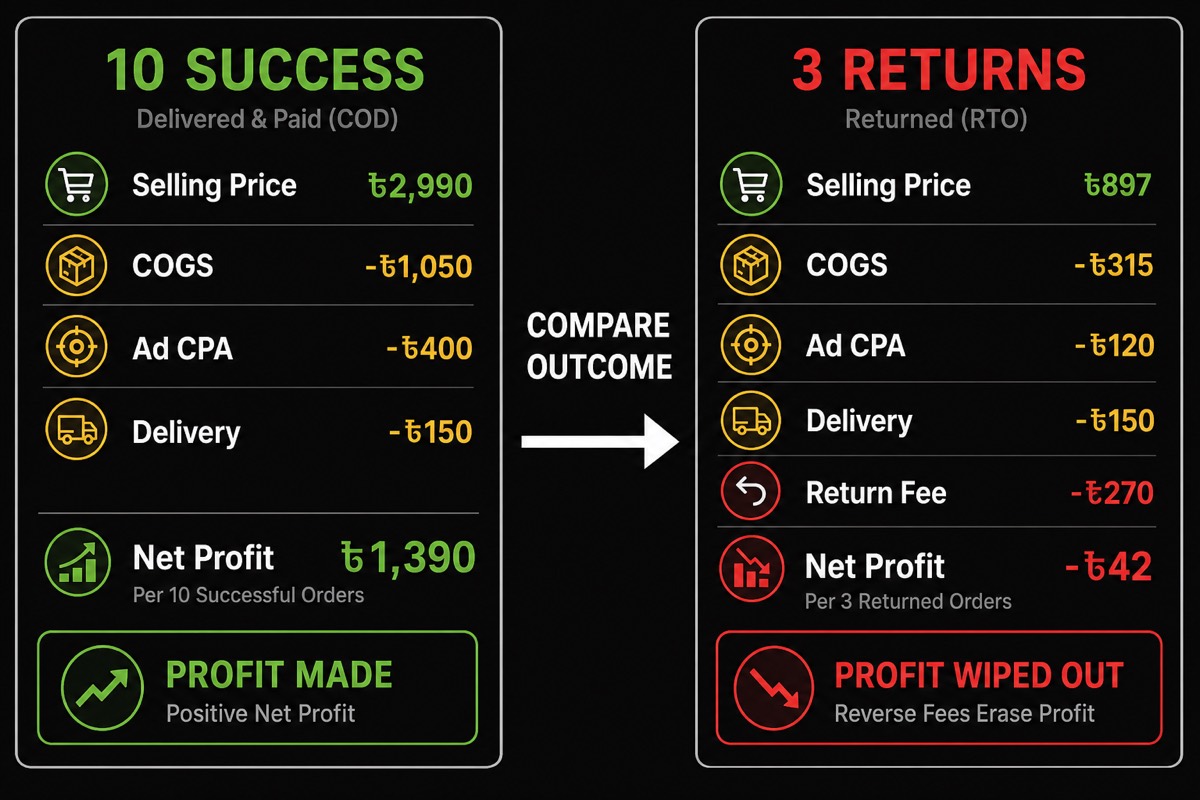
Measure monthly bleed with Return Loss Calculator. Page-only sellers use the same ৳ math—delivered COD, not order count.
End-to-end flow: Messenger → confirm → courier
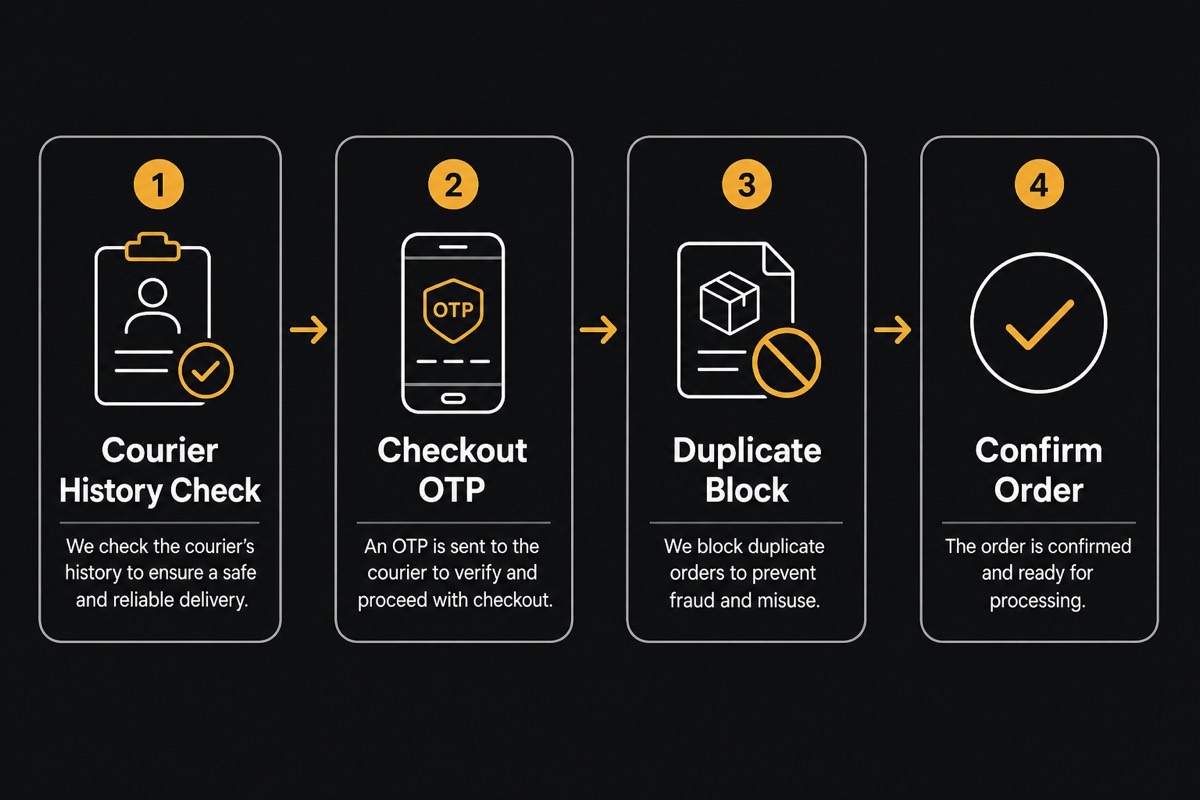
Standard SOP in six steps. (1) Lead capture: name, 11-digit mobile, address/area, product/size, COD amount. (2) Fraud signal: BD Fraud Checker or Fake Customer Check. (3) Zone action: green confirm fast;
yellow call/OTP; red advance delivery fee or hold—details Customer verification.
(4) System record: one WooCommerce (or central dashboard) entry—not a screenshot chat log. (5) Courier: Courier Auto Entry for Pathao/Steadfast/RedX;
courier guides: Pathao courier guide, Steadfast integration, RedX courier guide. (6) Out-for-delivery alert: Notifications automation.
Break any link and you lose money: auto-book without fraud filters → RTS; book without a record → broken accounts; skip notifications → “customer unavailable” returns.
Inbox order loss: screenshots and missing leads
The quietest page-seller loss: a customer asked the price, staff replied, and nothing was saved—next day the thread is gone in the scroll. Another pattern: incomplete address and “I’ll order later.”
Fix: turn every serious lead into a draft order immediately (name+phone minimum). WooEasyLife missing/incomplete order recovery helps pull dropped checkouts and half-written addresses;
AI text/image → order speeds field fill from chat screenshots.
Team rule: “replied in inbox” is not done. Done = system status (new Bangla home call pending Bangla home confirmed Bangla home hold Bangla home booked). Change status on the go with WooEasyLife mobile app.
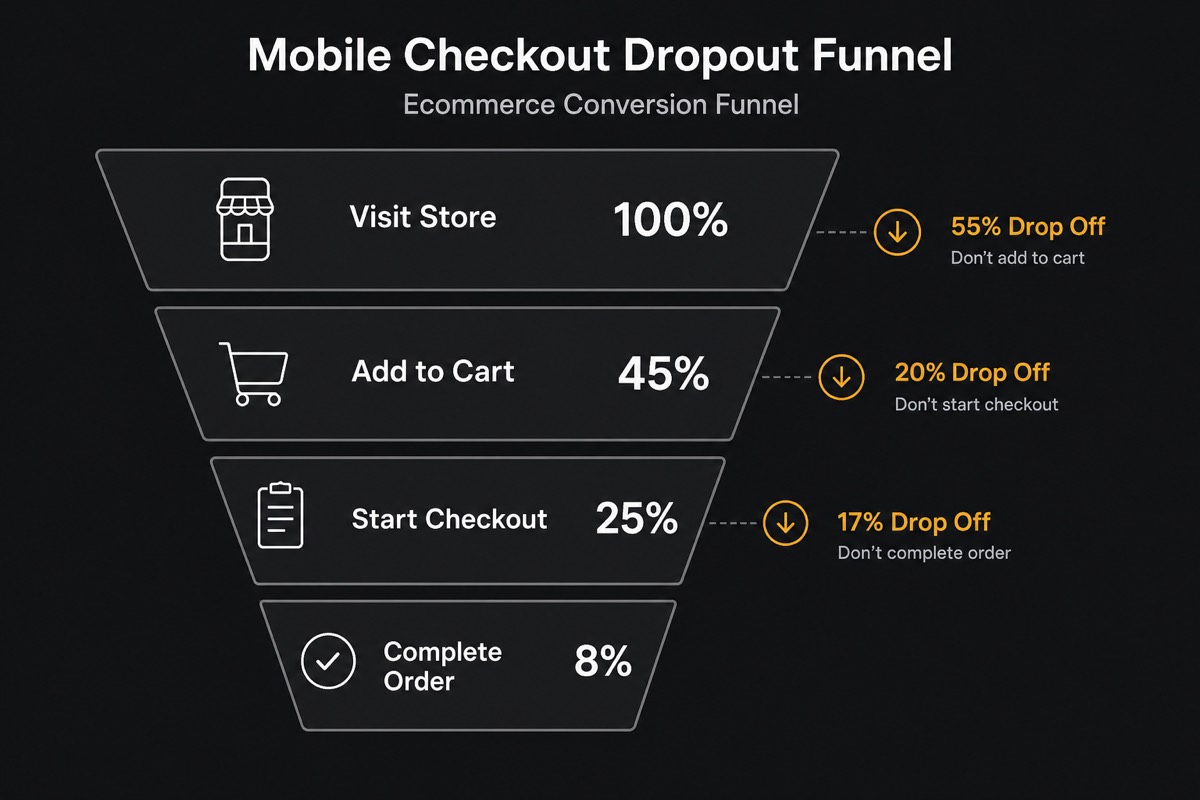
Common fake-order patterns from Facebook pages
Pattern A: same number orders across pages—polite chat, red history. Pattern B: fake number, call goes dead. Pattern C: low success-rate buyers bite on ad creative, refuse when the rider arrives.
Pattern D: duplicates—same phone messages two staff.
Answer each with tools + SOP. A/C: BD Fraud Checker zones. B: call or OTP before confirm (Fake Order Protection). D: duplicate phone block and shared blacklist.
Bangla deep guide also at How to stop fake orders (BN); English: How to stop fake orders.
Remember—fraud check is a signal, not autopilot. Do not blind-ship red zones; an advance delivery fee drops many pranks.
Fraud check before confirm — page SOP
Inbox template: when the customer sends product+address, staff checks the number first, then sends the confirm message. “Book now, check later” is hard to reverse once the parcel is moving.
Green (high success): confirm and auto-enter if stock exists. Yellow: “calling Bangla home sending OTP” → then approve. Red: advance fee or cancel; write the reason in notes so another staffer does not ship anyway.
Checker-only tools break down at 50+ page orders/day—compare FraudBD Alternative. WooEasyLife combines check + blocks + booking on one platform.
OTP, duplicate blocks, and blacklist — page + store together
Even page-first sellers eventually add a landing or WooCommerce checkout; checkout OTP kills fake numbers early. For pure Messenger leads, manual OTP/call follows the same policy.
Duplicate phone/IP rules cut double parcels.
Share blacklists: a number that pranked your page should also fail store checkout. Setup: Fake Order Protection and Customer verification.
Daily order limits reduce burst attacks and bot-like patterns—especially on viral ad days.
WooCommerce sync — do not run the page as a second store
Two systems (Messenger notes + a separate spreadsheet) means double mistakes. Goal: page or web → one order ID, one status, one courier consignment.
Keep SKU, variants, and inventory in WooCommerce; treat the page as acquisition. Confirmed page orders created in the store unlock packing lists, invoices, and stickers from one place.
For multi-page/multi-store teams, use the common mobile dashboard—WooEasyLife mobile app—so staff do not miss another page’s queue.
Courier auto entry — after page confirm only
Typing Pathao/Steadfast/RedX panels by hand after Messenger confirm wastes hours and creates wrong area codes. Use Courier Auto Entry for verified orders; let webhooks write tracking back to the order.
Critical: do not enable auto-ship without fraud filters. Automation saves time—and can accelerate losses on bad orders. Daily flow: Courier Auto Entry; courier setup spokes linked above.
When returns arrive, log the reason (fake Bangla home unavailable Bangla home no cash)—so the next page confirm marks the same number yellow/red. Playbook: COD return reduction.
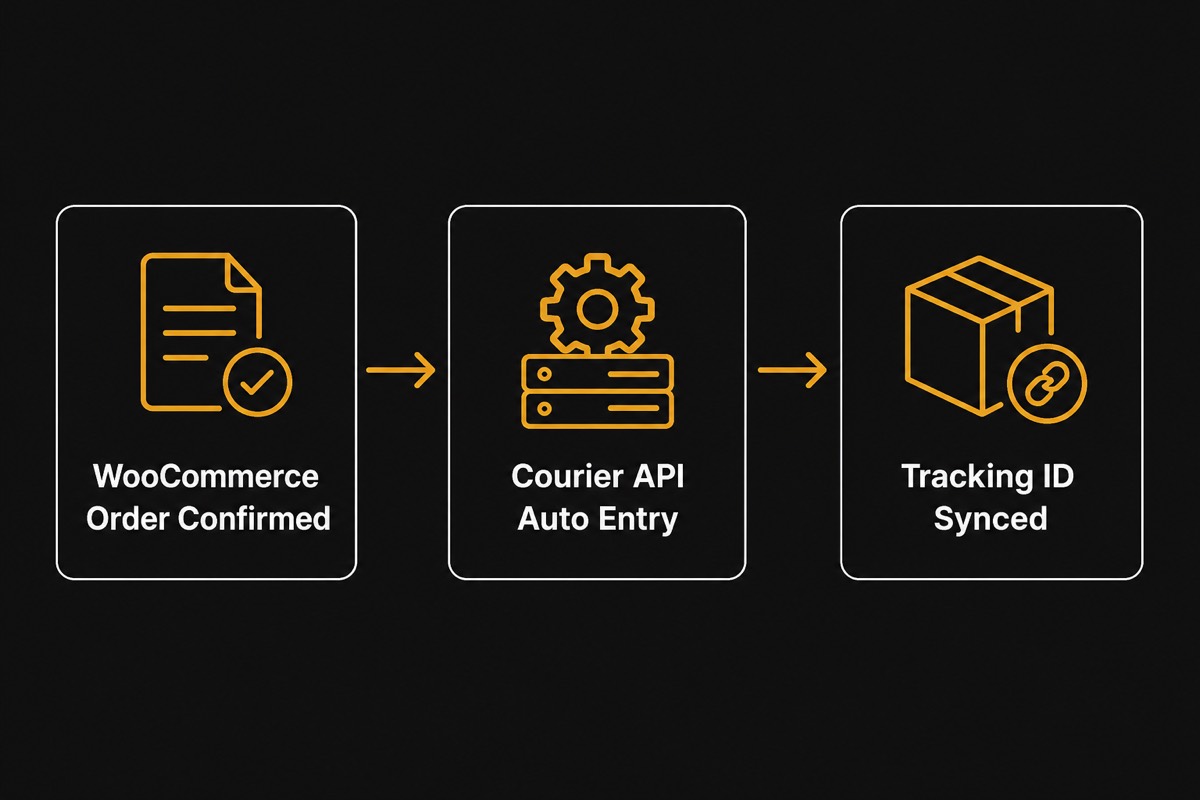
Mobile ops: call ID, push, approve/hold
Page orders arrive day and night. If browser admin is closed, yellow-zone leads slip. The WooEasyLife app gives push alerts, call identifier, and courier movement notifications so you can approve/hold from the road.
Split roles: who can confirm vs who can book—so new staff cannot ship red zones. Guide: WooEasyLife mobile app.
Send out-for-delivery SMS/WhatsApp to page buyers too—“rider coming today, keep COD ৳X ready”—high ROI against returns. Templates: Notifications automation.
Ad orders vs organic page orders — one rulebook
Facebook Ads orders and organic inbox orders may use different creatives, but fraud zones and courier SOP should be identical. Scaling ads also scales red-zone volume—stabilize filters first.
Keep Pixel/CAPI clean: Facebook Ads guide. Reported vs delivery-adjusted ROAS: Ads ROAS Calculator. Dirty inbox quality also poisons ad audiences.
Creative should match real product photos and price—overclaiming in ads creates unrealistic inbox expectations and more RTS.
30-day action plan — page COD
Week 1: mandate BD Fraud Checker before every confirm; baseline ৳ on Return Loss Calculator. Week 2: write yellow/red SOP and train staff; duplicate phone rules; shared blacklist.
Week 3: 100% of confirmed orders recorded in WooCommerce; Courier Auto Entry live (verified only). Week 4: Notifications automation out-for-delivery; mobile approve/hold;
weekly RTS% review (COD return reduction).
KPIs: inbox → confirm rate, confirm → delivered rate, RTS %, return ৳, staff hours per 50 orders. Do not raise ad budget until RTS is stable.
Checklist and related resources
Checklist: complete lead fields ✓ fraud check ✓ zone action ✓ system order ✓ verified-only auto entry ✓ out-for-delivery message ✓ weekly RTS review ✓.
Tools and guides: BD Fraud Checker, Fake Order Protection, How to stop fake orders, Customer verification, Courier Auto Entry, WooEasyLife mobile app, Notifications automation, COD return reduction, Return Loss Calculator, Facebook Ads guide, FraudBD Alternative, Pricing.
Bangla mirror: Facebook Page COD management. Master hub: English WooCommerce guide. Check one number today and put the SOP live.