What is the WooEasyLife mobile app?
WooEasyLife is an Android app for WooCommerce merchants—not a shopping app for customers.
If you run WooCommerce or Facebook COD in Bangladesh, you can see new orders on your phone, call the customer, check courier history risk hints, and confirm or hold the order without sitting at a laptop.
You can connect more than one website with a QR scan. New orders can notify your phone. When a customer calls, the app can often match the call to an order.
You can also start Pathao, SteadFast, and RedX parcel work from mobile. iPhone is not the main version yet.
Author: Muhibbullah Ansary — see About / Founder Muhibbullah. To start, visit Pricing. Bangla guide: WooEasyLife mobile app. Full system hub: English WooCommerce guide.
Phone browser admin vs this app
Opening WooCommerce admin in Chrome on a phone is often slow, needs many taps, and new-order alerts may depend on email or manual refresh. Copying a number to call is also annoying.
With the WooEasyLife app, new orders can arrive with sound. One tap can call or open WhatsApp. Risk hints can show on the order card.
After confirm, courier entry is easier—so fewer orders are missed at a supplier visit or on the road.
Simple compare: browser alerts are often late; the app is faster. Browser needs number copy; the app is one-tap call. Browser may need a separate fraud tool; the app can show history with the order.
Alerts for new and unfinished checkouts
When a customer places an order, the app should notify you—waiting only on email delays packing and delivery. In COD, delay can lose the sale to another page.
If someone enters a phone number but leaves checkout unfinished, the app can alert you so you can call or message and recover the order. Messaging guide: Notifications automation.
Turning every alert on can feel noisy. Prioritise new COD and unfinished checkouts first; mute or schedule nights so staff do not burn out.
One-tap call and WhatsApp
Open the order and tap Call—no copy-paste. WhatsApp shortcuts can send a short confirmation with order id, product, amount, and area.
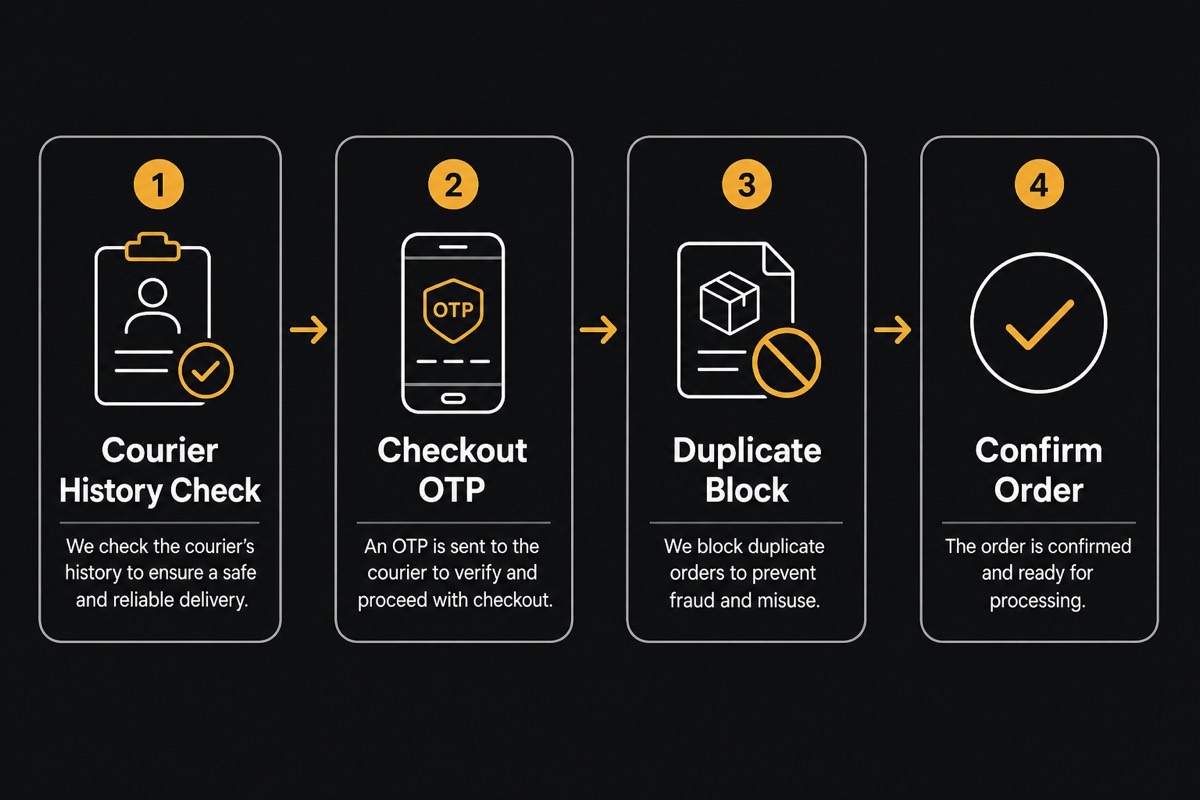
For medium risk or new customers, call or message first, then confirm. For strong history, confirm faster and book with Courier Auto Entry.
For weak history, ask for advance fee or hold—see Customer verification and Fake Order Protection.
Note who called and what was said on the order so another teammate does not call the same person again.
History hints in the app: green, yellow, red
When you open an order you may see courier success rate or warnings. Green (strong delivery history): confirm faster. Yellow: call with care. Red (many returns Bangla home low success): consider advance fee or hold.
Without this on mobile, teams often ship every order—and return costs rise. Free check: BD Fraud Checker. Monthly loss math: Return Loss Calculator.
Remember: the app shows a hint; it does not guarantee fake or genuine. You decide. More context: English WooCommerce guide and COD return reduction.
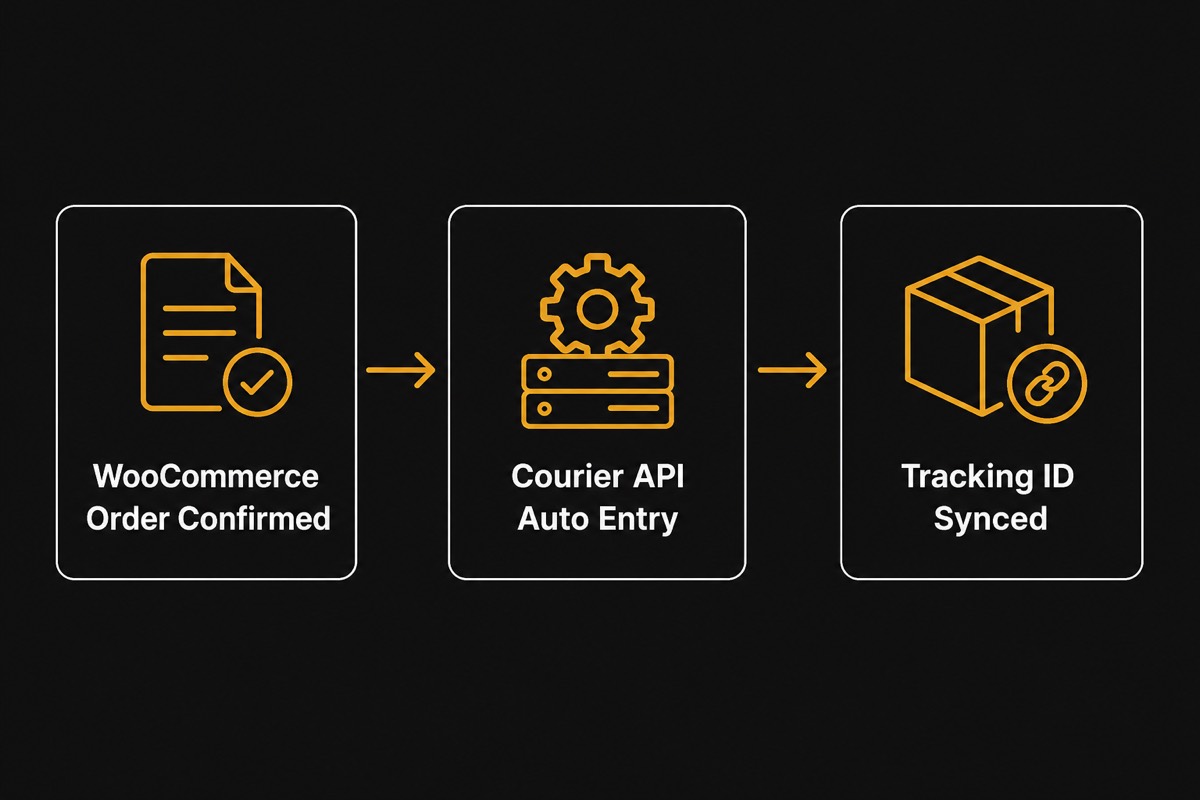
Courier entry from mobile (Pathao / SteadFast / RedX)
After confirm, you can start courier entry from the app or plugin—less manual typing in the merchant panel. Setup: Pathao courier guide, Steadfast integration, RedX courier guide.
Daily flow: Courier Auto Entry.
Test with one order first. Check the connection before sending many at once. When tracking is saved, update the customer via Notifications automation.
Packing can still happen in the warehouse. The app’s job is fast decisions and starting entry. Match area and COD amount, then send.
Safe daily checklist
1) Keep alerts on for new and unfinished orders. 2) Open the order and read history (BD Fraud Checker). 3) If unsure, call or use OTP (Customer verification, Fake Order Protection). 4) Confirm.
5) Courier entry (Courier Auto Entry). 6) Send tracking (Notifications automation).
Do not: ship blindly on bad history; hand off without a note; bulk-send before a connection test. If returns rise, measure with Return Loss Calculator.
Split roles: who can confirm vs who only calls—fewer wrong bookings.
How to start
Start a WooEasyLife trial or plan on Pricing. Connect WooCommerce and couriers. Turn on fake-order protection (Fake Order Protection).
Show Connect App QR from web or plugin → scan in the app → allow phone notifications.
Run one test order: notification → call → confirm → courier entry. If notifications fail, check phone notification settings. If call fails, check the number format (01XXXXXXXXX).
Read next: English WooCommerce guide, Courier Auto Entry, Notifications automation. Bangla: WooEasyLife mobile app.