Steadfast + WooCommerce for Bangladesh COD stores
Steadfast is a go-to courier for WooCommerce and Facebook COD sellers across Dhaka, Chittagong, and district routes.
The daily pain is not choosing Steadfast—it is retyping customer name, phone, address, and COD amount into the Steadfast merchant panel after every confirmation.
One wrong digit costs a failed delivery, reverse charge, and wasted packing time.
This Steadfast integration guide walks through connecting Steadfast’s merchant API to WooEasyLife, mapping your warehouse, booking parcels from WooCommerce (single or bulk), saving consignment IDs on orders, and syncing status back for customer alerts.
Layer BD Fraud Checker and Fake Order Protection first so risky numbers never auto-book.
Bangla version: Steadfast integration. Full system context: English WooCommerce guide. Day-to-day confirm → book workflow: Courier Auto Entry.
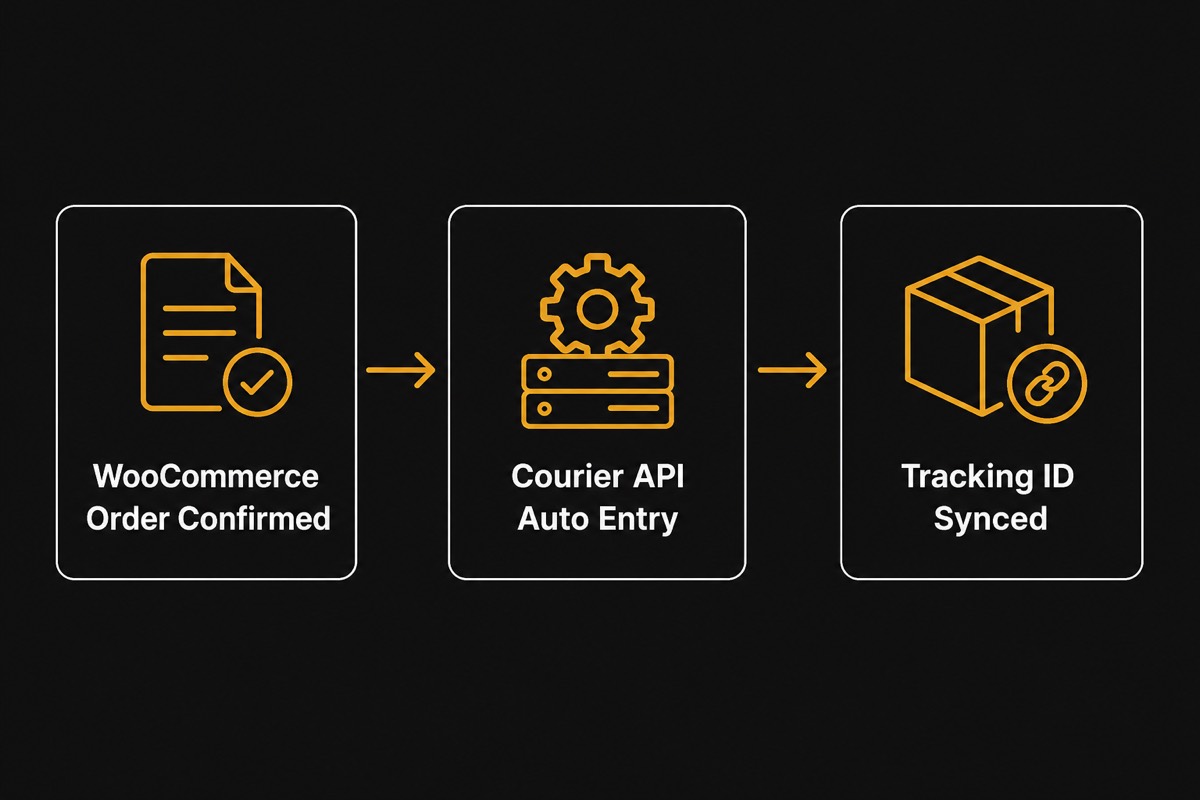
Why Steadfast API integration beats manual panel booking
Manual Steadfast booking breaks at scale: open WooCommerce, copy five fields, switch to Steadfast, paste, wait for consignment ID, paste back into order notes.
At 50–120 COD orders per day that loop eats hours and still produces wrong areas, missing COD totals, and duplicate consignments when staff retry blindly.
With API integration, WooEasyLife pushes structured order data to Steadfast the moment you confirm. Steadfast returns a consignment/tracking ID stored on the order. Labels print from your workflow;
status webhooks feed notifications. Typical wins: ~90% less booking time, fewer address typos, and cleaner month-end COD reconciliation.
Before you scale volume, compare route costs with Courier Charge Calculator. If returns already sting, quantify monthly loss on Return Loss Calculator—then automate Steadfast only for verified orders.
Steadfast credentials: API Key and Secret from merchant Settings
Steadfast uses a merchant API Key + Secret pair—not OAuth tokens like some platforms. Log into the Steadfast merchant panel, open Settings → API Integration, and copy both values.
Treat them like passwords: restrict access, rotate if staff leave, and never paste into public chats or screenshots.
In WooEasyLife go to Courier Settings → Steadfast, paste API Key and Secret, enable Steadfast, and run a connection test. Then map your default store/warehouse so pickup context matches where riders actually collect.
Wrong warehouse mapping is the top cause of “booking failed” even when credentials are valid.
After a green test, book one low-risk test order end-to-end before turning on bulk. Confirm in Steadfast that COD amount and area match what the customer agreed.
Only then enable routine auto entry via Courier Auto Entry.
Step-by-step: connect Steadfast to WooCommerce
1) Open or create your Steadfast merchant account and confirm API access is enabled. 2) Copy API Key and Secret from Settings → API Integration.
3) In WooEasyLife → Courier Settings, enable Steadfast and paste both values. 4) Select default warehouse/store location and save. 5) Run connection test until green.
6) Confirm a test WooCommerce order, send to Steadfast, verify consignment ID saves on the order. 7) Optionally wire tracking templates on Notifications automation.
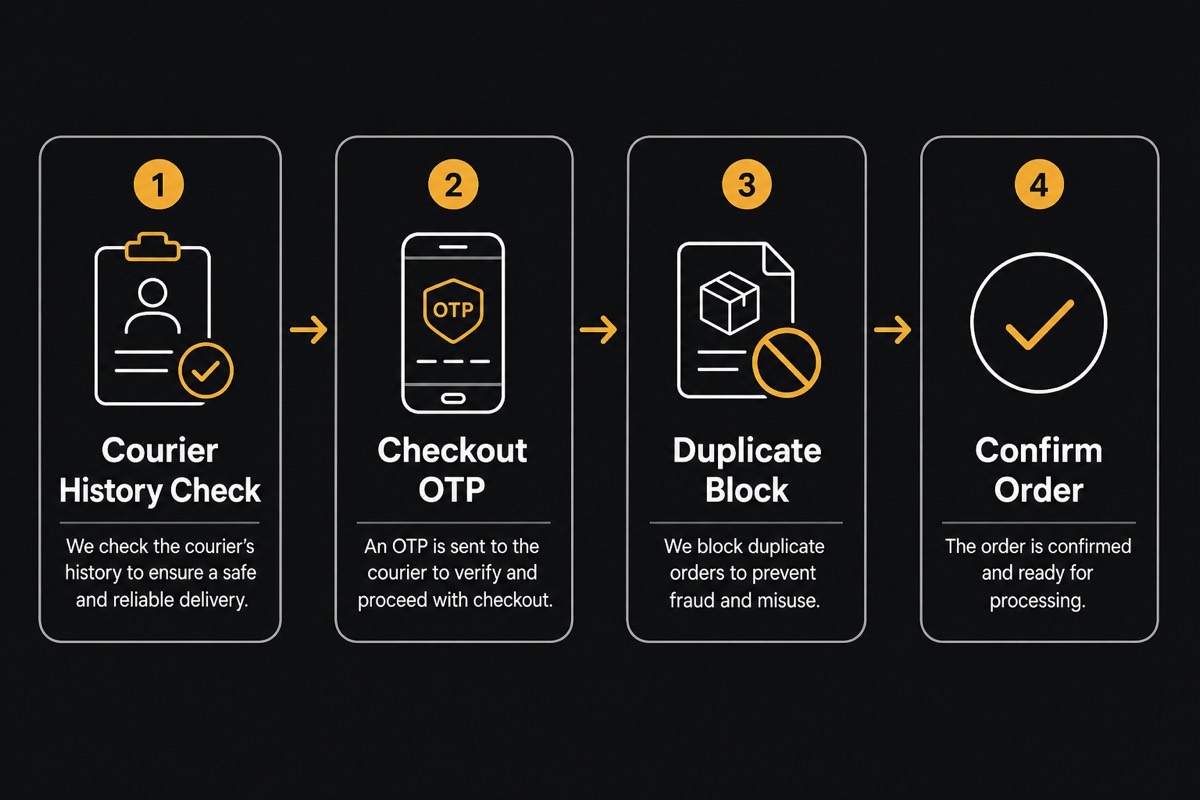
Recommended safety stack: free number check on BD Fraud Checker → checkout OTP and duplicate rules on Fake Order Protection → Steadfast booking on confirm.
Auto-shipping every order without fraud filters turns Steadfast automation into an expensive return machine.
Multi-courier shops: keep Steadfast alongside Pathao courier guide and RedX courier guide. Assign one primary courier per zone when possible so staff never guess which panel to open.
Confirm → Steadfast auto entry and bulk booking
Ideal loop: Order arrives → fraud/history check → call or OTP if yellow/red zone → mark confirmed → WooEasyLife sends name, phone, address, item notes, and COD amount to Steadfast → consignment ID returns → print label → rider pickup.
No Excel export and no second browser tab.
Bulk mode: from the WooCommerce orders list, select dozens of confirmed orders and send to Steadfast in one action. Use bulk only after single-order booking is stable.
Review failed rows—invalid area, missing phone, COD mismatch—before retrying so you do not create duplicate consignments.
Mobile ops: approve or hold from the road with WooEasyLife mobile app, then let Steadfast booking run after confirm. Incomplete checkout recovery and tracking alerts still belong in Notifications automation.
Tracking IDs, status sync, and customer messages
After booking, Steadfast’s consignment/tracking ID lives on the WooCommerce order. Customers ask “where is my parcel?” less when you send In Transit and Out for Delivery messages automatically.
Out-for-delivery alerts especially cut “customer unavailable” returns because cash is ready and the rider call is expected.
Configure templates in Notifications automation (WhatsApp primary, SMS fallback). Keep copy short: order ID, COD amount, tracking link.
Optional branded track page on your domain keeps customers on your site instead of a generic courier page.
When Steadfast marks return or cancel, update stock and flag RTS in your ops view. Pair with COD return reduction playbooks so returns become a measured process—not surprise losses at month end.
Fraud check before you auto-book Steadfast
Steadfast automation is powerful after confirmation—not a replacement for verification. Check courier success rate by mobile on BD Fraud Checker. Green-zone history can confirm fast; yellow needs call/OTP;
red often needs advance fee or hold via Fake Order Protection.
Worked mindset: shipping 10 high-risk COD parcels “because Steadfast is connected” can erase profit from many successful deliveries through reverse fees, packaging, and ad CPA. Automate booking for clean orders;
slow down for risky ones.
Full COD math and multi-layer protection live in English WooCommerce guide. Measure return money with Return Loss Calculator before you increase ad spend.
SteadFast Return Requests — ask to return and Decide
The official SteadFast WordPress plugin focuses on booking, tracking, and balance.
Developer SDKs expose return-request APIs, but Bangladesh merchants need a WP workflow: Ask to return → Pending list → Confirm cancel or Resend—without living in the SteadFast portal.
WooEasyLife’s Courier hub ships that Decide flow for SteadFast (package: courier_automation; portal login required).
Statuses: pending → confirmed Bangla home resend_request Bangla home cancelled Bangla home resent. Create from the order, sync into the hub, then Decide on pending rows. CSV export and refresh keep the list aligned with the portal.
Pathao/RedX do not have this Return Requests hub yet—keep their booking/webhooks on Pathao courier guide and RedX courier guide. Measure return cost on Return Loss Calculator.
Courier Notifications and stuck-parcel scan
SteadFast portal delivery notes, rider messages, and cancellation requests cache into the Notifications tab so staff do not tab-hop for every update. Open SteadFast jumps to the portal when needed.
Stuck scan flags consignments with no note/update for ~3 days (configurable), deep-links the WooCommerce order, and supports Decide/notes from the same surface. Hourly cron plus manual Scan stuck.
Portal notification sync is SteadFast-only today. Parcel notes history and rider callbacks sit in the same ops stack. Daily booking loop: Courier Auto Entry.
Troubleshooting Steadfast API bookings
Connection test fails: re-copy API Key and Secret from Settings → API Integration, confirm API access is enabled on the merchant account, and check for trailing spaces.
Auth errors after a key rotation require updating WooEasyLife settings immediately.
Return/Notifications empty: save SteadFast portal email/password in Courier Settings (API keys alone are not enough for scrape features). Booking fails on area/city: fix checkout mapping.
Duplicate consignments: do not spam send on the same order.
Still stuck? Compare Pathao on Pathao courier guide or RedX on RedX courier guide. Ops overview: Courier Auto Entry. Start a trial from Pricing.
Next steps and related Steadfast resources
Checklist: SteadFast API Key + Secret → portal login → connection test green → warehouse mapped → test parcel OK → fraud layers on → one Return Request Decide test → Notifications refresh → bulk for confirmed orders only.
Keep reading: Courier Auto Entry, Notifications automation, COD return reduction, English WooCommerce guide. Bangla mirror: Steadfast integration.